From the first translated paragraph to your final annotation, built
around how you read research.
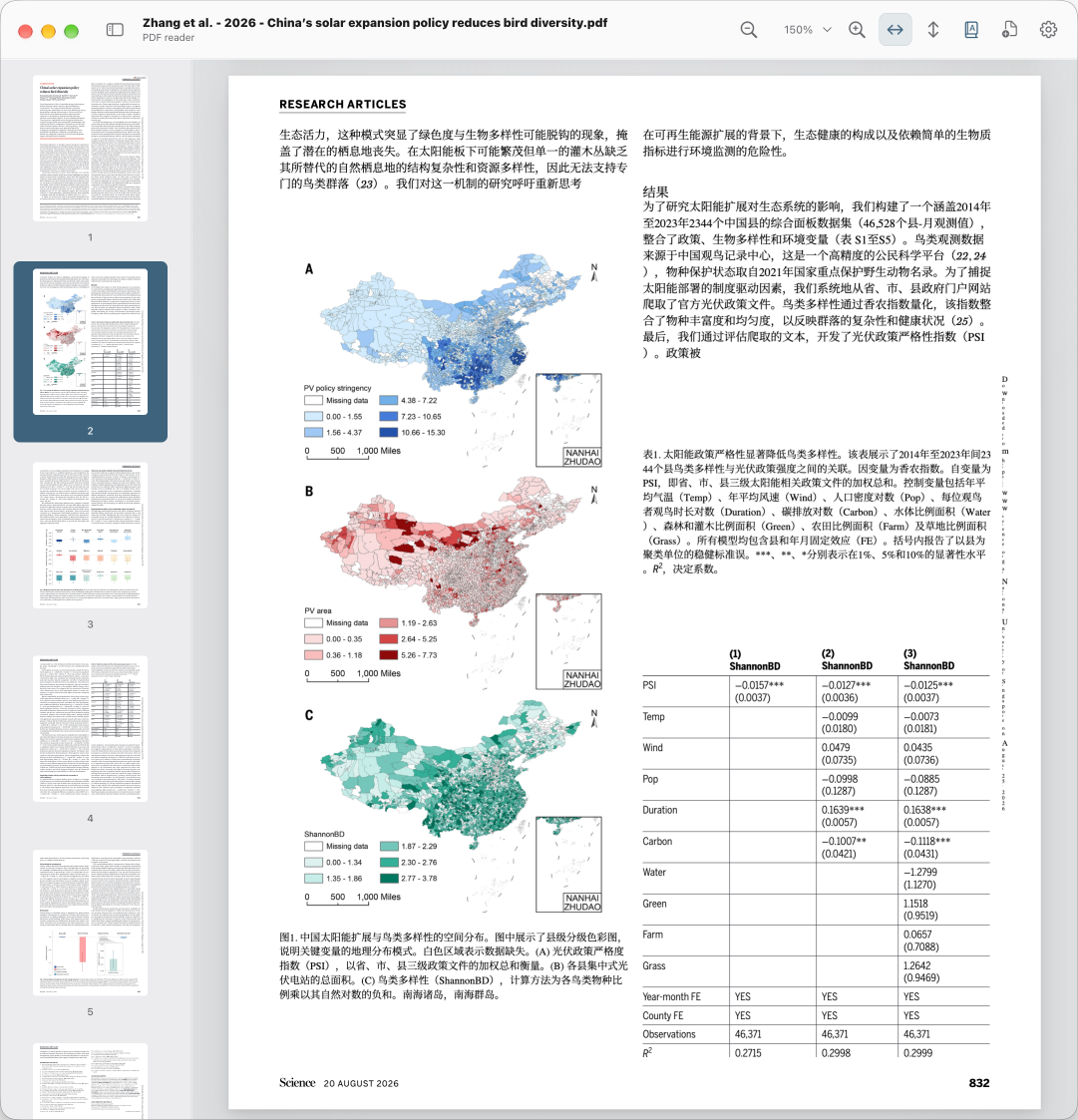
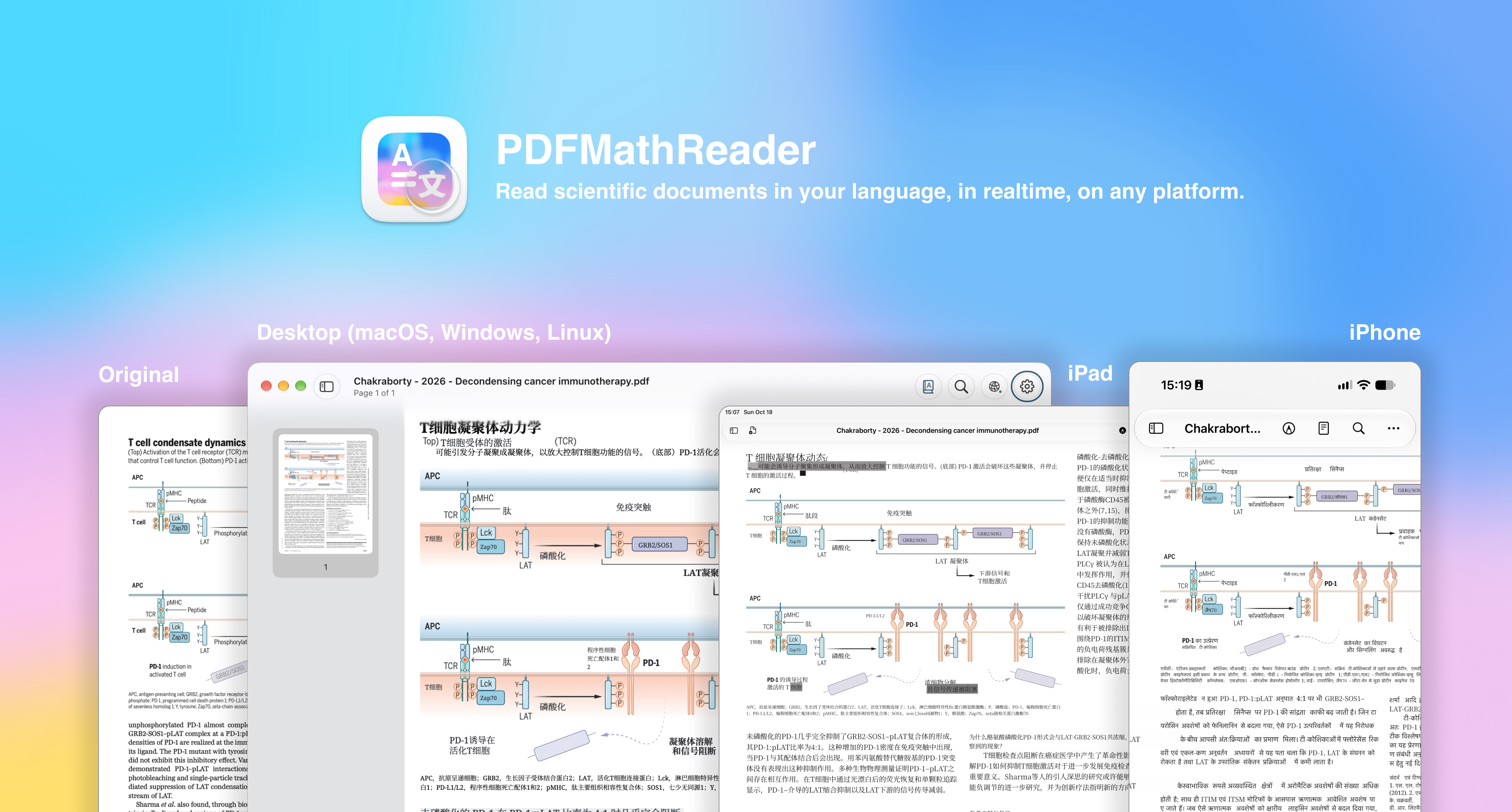
Original and translation, in place.
Analyze layouts and translate as you read. Choose paragraph
overlays or translated pages with formula preservation, balancing
speed and detailed typesetting.
Ultra fast · PDF Inspector paragraph overlays
Fast · PDFMathTranslate
Precise · PDFMathTranslate-next
Your service. Your language.
Connect major AI providers or custom services through
OpenAI-compatible APIs. Set interface, source, and target
languages independently, including custom language codes.
Reuse cached translations for the same service and model.
Partner-provided free services depend on availability in the app.
Make the important parts stand out.
Emphasize topic sentences, scientific findings, and logical
connections. Highlight distinctive terms with TF-IDF, or try
bionic reading with fixed-length or word-root emphasis.
Adjust fonts, CJK typography, and smooth scrolling for longer
reading sessions. Force smooth scrolling for mouse wheels
independently.
Keep your thoughts with the text.
Highlight and annotate originals and translations. Navigate
through thumbnails, outlines, search, quick links, and gallery
views. Switch between windows or tabs.
Choose reading layouts, fit-to-width, fit-to-height, and zoom
settings that suit the way you read.
Another device. The same focus.
A familiar reading experience, on desktop and mobile.
Share your computer’s translation kernels, pair remote devices,
and see connected clients. Eight-character pairing codes make
connecting easier.
Minimize the window. Keep translating.
Service mode keeps translation services available while windows
are minimized. Share documents between apps and devices with tools
such as AirDrop.
Remote sharing requires a reachable computer and network. The iOS
app is provided in a separate repository.
Your reading. Your style.
Fonts, accent colors, dark mode, and a whole set of app icons. Choose
an icon to preview your PDFMathReader.
Previewing Default. This changes the website preview only.
Read a page. Get a feel for it.
Choose a prepared translation, click a paragraph to see the
original, or adjust the zoom.
This sample uses the PDF bundled with the application and a static
translation file. No kernel or translation service runs here. Download
the app to translate your own documents.
Your next paper. In your language.
Open source and always improving. Choose your platform.
A separate app with a familiar desktop-inspired design.
Requirements and experimental features
Translation needs an available service and network access; some
providers may charge API fees. Fast and Precise require their
kernels to be installed through uv. Complex layouts can affect
typesetting fidelity. See the project documentation for platform
and service support.
Experimental features include paragraph continuation detection,
local table-of-contents generation, and an optional remote
zotero-pdf2zh server. The remote Precise server must be deployed
separately and is not bundled. Scanned documents without a text
layer need appropriate OCR support.
 PDFMathReader